Monitor input switching
Multiple computers. One button.
Make your existing USB switch control your monitors too.
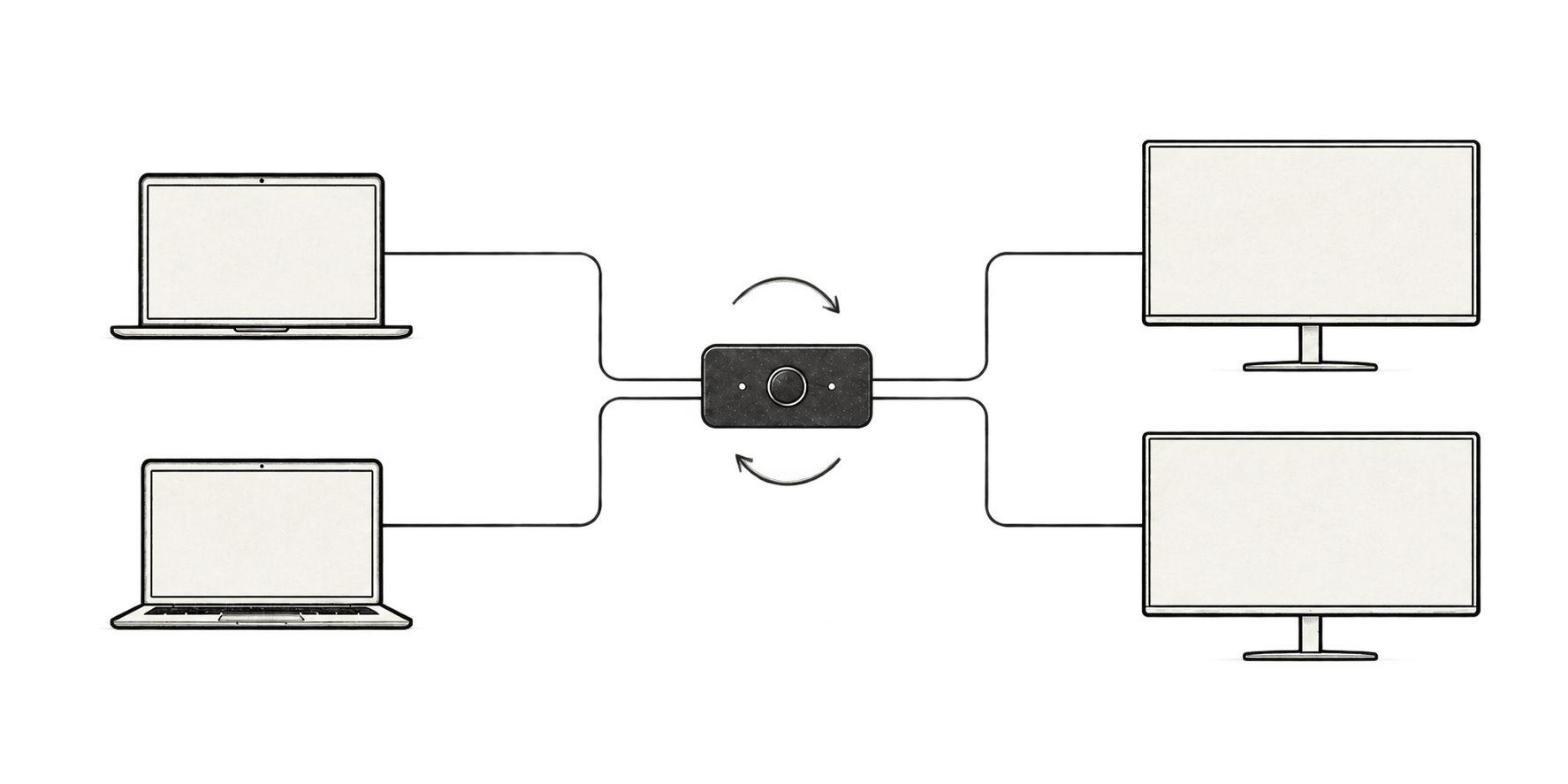
Press the switch to move your keyboard, mouse and external displays to the other computer.
Keep your existing hardware without replacing it with a full KVM.
- macOS and Windows
- USB switch required
- DDC/CI monitors required
00 · App
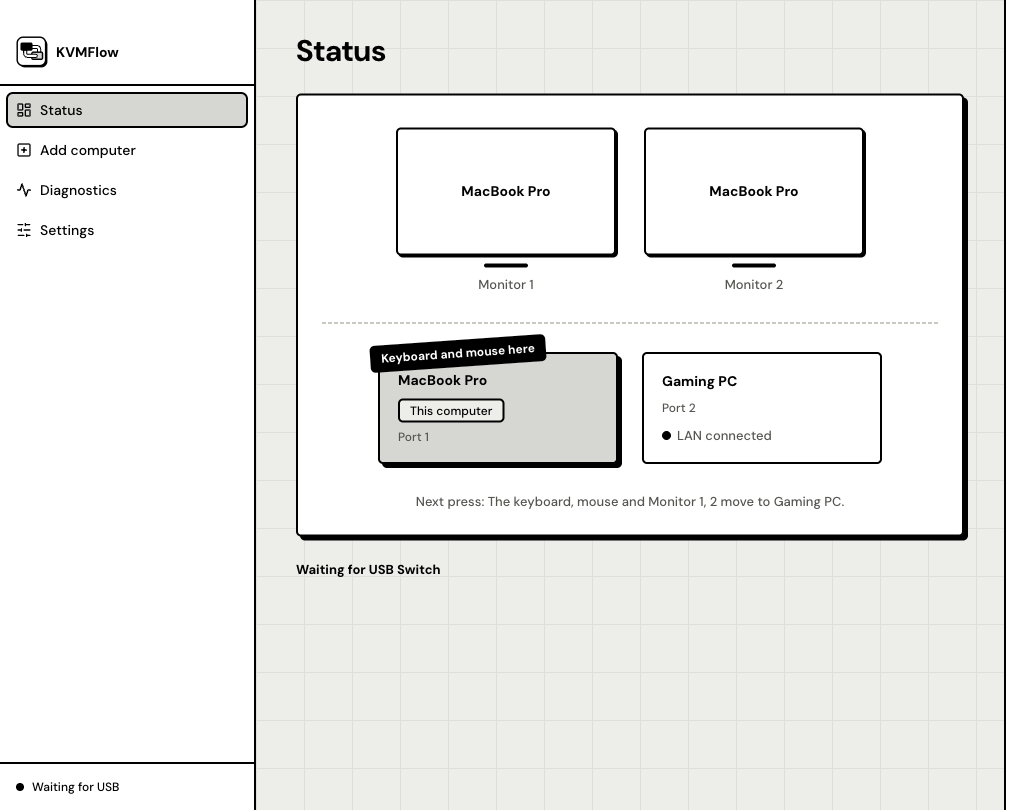
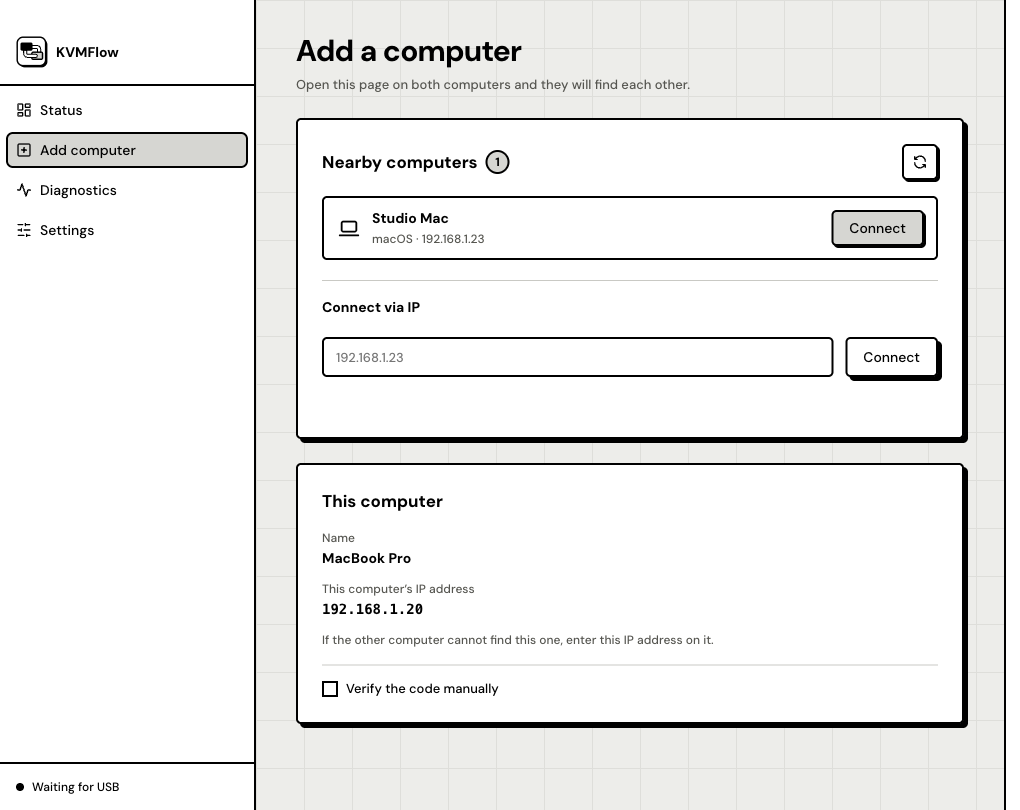
Inside KVMFlow
01 · Switching
Press once. Switch together.
- Keep your USB switch
- The USB switch handles the keyboard and mouse. KVMFlow switches the monitors alongside them. Keep using your video cables and switch.
- Switch multiple monitors
- Save an input value for each monitor so you do not have to open their menus every time you switch computers.
- Close the window, keep it running
- Run KVMFlow on both computers. Reopen it from the Mac menu bar or Windows system tray after closing the window.
02 · Setup
Set it up once. Then use the button.
Connect both computers
Connect the keyboard and mouse to the USB switch, and run video cables from each monitor to both computers.
Install KVMFlow
Download the installers from GitHub, then install and run the app on both computers.
Pair the computers
Follow setup to check the local monitors, then run KVMFlow on the other computer and pair them.
Press to test switching
Follow the prompts to press the USB switch and check that the keyboard, mouse and displays move to the other computer.
03 · Help
Frequently asked questions
What if the system won’t open KVMFlow?
KVMFlow isn’t code-signed yet. On macOS, go to System Settings → Privacy & Security → Open Anyway. On Windows, click More info → Run anyway. See Download and install for all the steps.
Can I use it without a USB switch?
A USB switch is required. It switches the keyboard and mouse; KVMFlow switches the monitor inputs.
Do my monitors need DDC/CI?
Yes. Enable DDC/CI in the monitor menu. Adapters, graphics cards and video connections can also affect monitor control.
Do I need to install it on both computers?
Install and run KVMFlow on both computers. Some monitors only accept control commands from the computer currently displaying a picture.
Can I use multiple monitors?
You can save input mappings for multiple monitors. Each monitor needs DDC/CI support and its own input values.